

There are several types of items to update that are distributed throughout the form. Types will be dealt with first, and then a sequential listing of items to be updated will follow.
Prices
Prices are largely stored in the product field type. This has several settings that allow you to specify one or more products to be selected, along with their price. These are collected in subtotal fields throughout the document. As an example, the survey results package looks as follows.
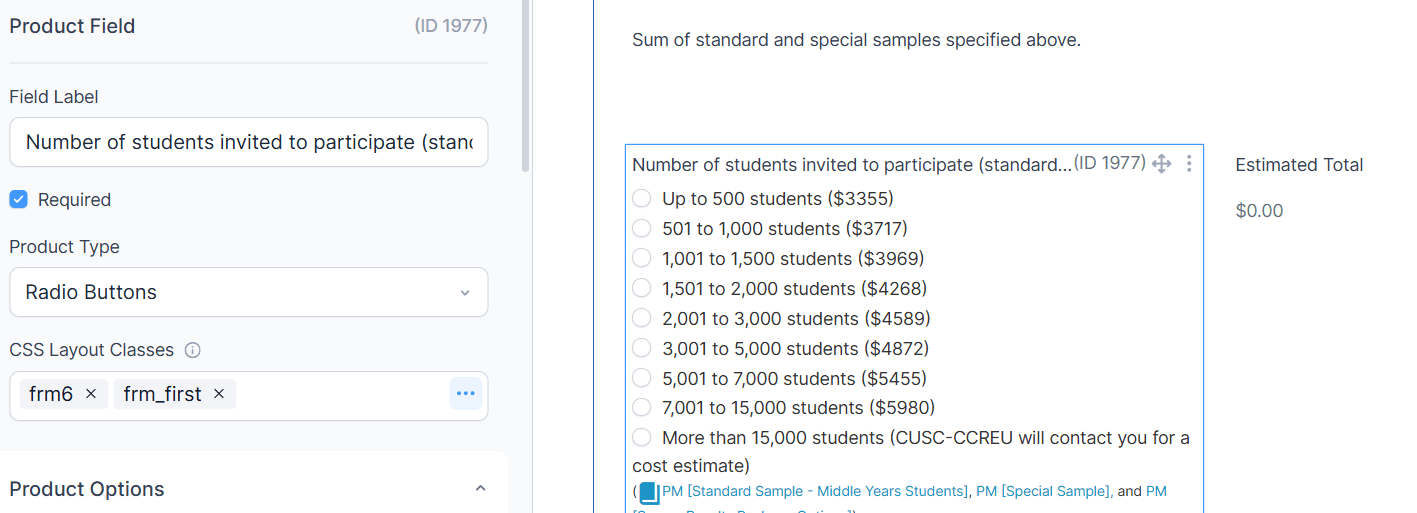
The details for the options are in the Product Options section.
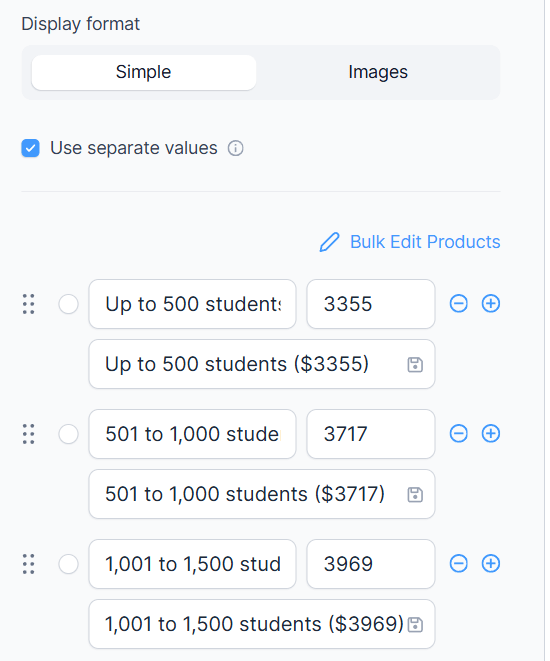
Note that each item has a text description, a price, and then the text that appears on the form. You can update these one at a time, but for this item in particular the Bulk Edit might be useful.
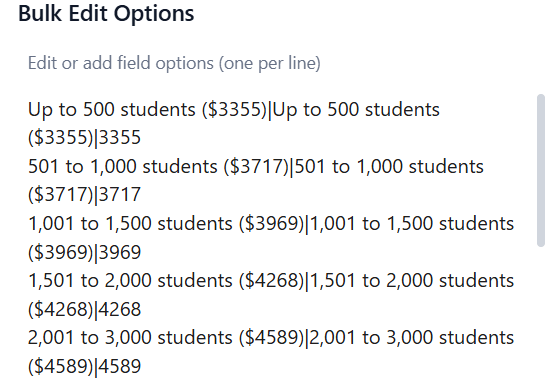
This allows you to specify all the items in one text box, with the fields separated by |.